
A machine learning laptop needs three core components to perform well: a dedicated GPU with at least 6GB VRAM (8GB or more is better), 16GB of RAM minimum (32GB recommended), and a modern multi-core processor like an Intel Core i7 or AMD Ryzen 7. These specifications separate laptops that can genuinely train models from those that will struggle or fail entirely.
Choosing the wrong laptop for machine learning can cost you hundreds of hours in wasted training time and thousands of dollars in premature upgrades. The market in 2026 offers excellent options across every budget, from entry-level machines around $1,200 to professional workstations exceeding $3,500. Understanding what you’re actually paying for makes all the difference.
The confusion around machine learning laptops stems from conflicting advice. Some sources insist you need a $4,000 workstation, while others claim any gaming laptop will do. The truth sits somewhere in between, depending entirely on your specific workload. Running pre-trained models for projects or learning requires far less power than training large neural networks from scratch.
This guide walks you through the exact specifications that matter, compares different laptop categories for ML work, recommends specific models across price ranges, and highlights the costly mistakes that trap beginners. You’ll finish with a clear understanding of which laptop matches your needs without overspending on features you won’t use.
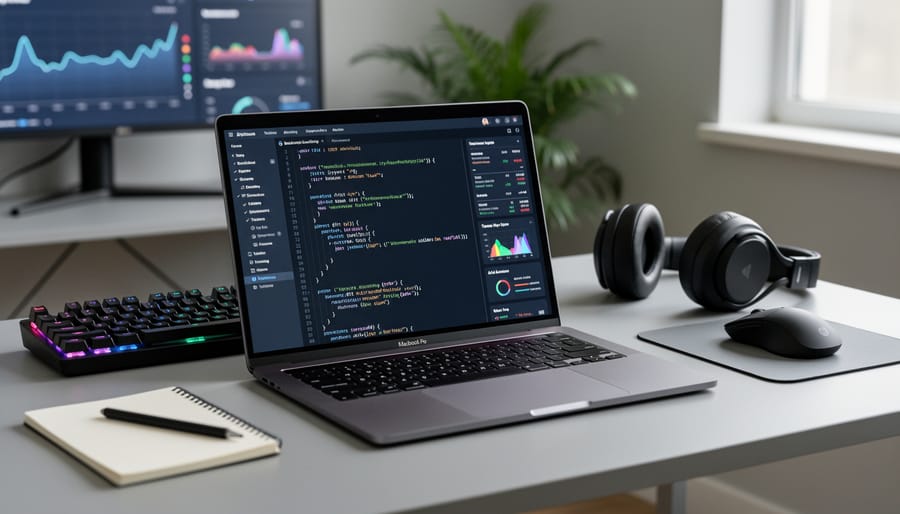
Key Factors for Choosing a Machine Learning Laptop
Processor (CPU) Requirements
Your machine learning laptop’s processor handles the data preprocessing, algorithm execution, and model training orchestration. While the GPU does the heavy lifting for neural network calculations, the CPU manages everything else: loading datasets, running preprocessing scripts, handling background tasks, and coordinating the entire workflow. A weak processor creates bottlenecks that slow down your work even if you have a powerful graphics card.
Look for processors with at least six cores. Modern ML workflows benefit from parallel processing, and more cores let you run multiple tasks simultaneously, preprocessing data while training a model, for example. Clock speed matters too, but core count is often more important for ML tasks. Aim for base clock speeds around 2.5GHz or higher, with boost capabilities that push past 4GHz.
For serious machine learning work, target Intel Core i7 or the newer Ultra 7 H/HX processors in midrange systems. These chips provide the multi-core performance and sustained speeds you need without thermal throttling during long training sessions. Budget systems with Core i5 processors can handle learning projects and smaller models, but you’ll feel the limitations as your work grows. The 14th Gen Intel processors found in current systems like the MSI Katana 15 HX offer solid performance for ML tasks without breaking the bank.
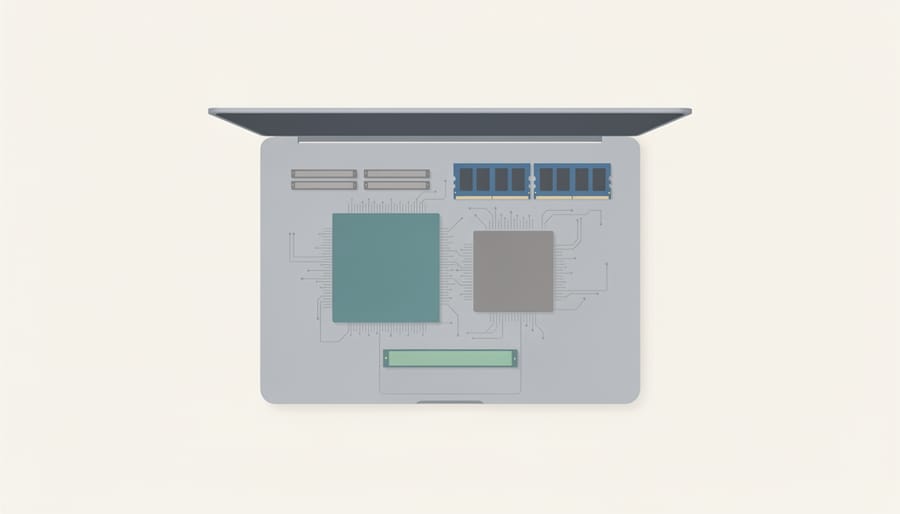
Graphics Card (GPU) Essentials
A dedicated graphics card is the single most impactful component for machine learning work. While your processor handles general computing tasks, the GPU does the heavy lifting when training models. Machine learning algorithms involve massive parallel calculations, millions of mathematical operations happening simultaneously, and GPUs excel at exactly this type of work because they have thousands of cores designed for parallel processing.
Here’s what that means in practice: training a neural network on a laptop with only integrated graphics might take hours or even days, while the same task on a dedicated GPU can complete in minutes. The difference isn’t small; it’s often 10 to 100 times faster. This speed advantage transforms how you work, letting you iterate quickly, test different approaches, and actually finish projects rather than waiting endlessly for results.
The NVIDIA GTX and RTX series dominate machine learning laptops for good reason. These cards include CUDA cores specifically optimized for the tensor math that powers deep learning frameworks like TensorFlow and PyTorch. When you train a model, the GPU breaks down your data into batches, processes multiple training examples at once, and updates weights across the entire neural network simultaneously. An NVIDIA GTX or RTX card handles these operations far more efficiently than any CPU can manage.
For example, training an image classification model on 10,000 photos might take 8 hours on a laptop with integrated graphics but complete in under an hour with a dedicated RTX card. The entry-level RTX 5050 found in laptops like the MSI Katana 15 HX can handle serious coursework and personal projects, while higher-tier RTX cards accelerate professional workloads. Unless you’re only doing the most basic ML exercises, integrated graphics will frustrate you quickly.
RAM and Memory Needs
Random-access memory determines how many datasets, models, and training processes your laptop can juggle simultaneously. Too little RAM forces your system to swap data to disk constantly, turning a ten-minute training job into an hour-long slog.
For serious machine learning work, treat 16GB as the floor. That gives you room to load medium-sized datasets (a few hundred thousand rows), run Jupyter notebooks, and train basic neural networks without grinding to a halt. But if you’re working with image recognition, natural language processing, or anything involving tens of thousands of data points across multiple features, 16GB fills up fast. Training slows, your system freezes when you open a browser tab, and you’ll spend more time closing apps than writing code.
That’s why 32GB makes sense if your budget allows it. The extra headroom means you can preprocess bigger datasets in memory, train multiple models in parallel for hyperparameter tuning, and keep your development environment running smoothly even when training complex architectures. Most machine learning resources recommend 16-32GB RAM for smaller projects with larger deep learning tasks pushing that higher.
The performance difference is real. A model that trains in twenty minutes with 32GB might take forty with 16GB if the system keeps hitting memory limits. And when you’re iterating through dozens of training runs to tune your model, those minutes compound into hours.
Storage Considerations
Storage speed directly impacts how quickly you can load massive datasets and save training checkpoints. For machine learning work, you’re choosing between traditional hard disk drives (HDD) and solid-state drives (SSD), and this decision affects your daily workflow more than you might expect.
An SSD loads datasets 5-10 times faster than an HDD. When you’re iterating through experiments and loading gigabytes of training data repeatedly, those seconds add up to hours over a project’s lifetime. A 256GB SSD represents the absolute minimum for ML work, enough for your operating system, development tools, and one or two active projects. You’ll need external storage or cloud backup for archiving completed work.
A 1TB HDD gives you five times the space at a lower cost, which sounds appealing when you’re working with large image or video datasets. The tradeoff is patience. Loading a 10GB dataset that takes 15 seconds on an SSD might take two minutes on an HDD, and those waits compound when you’re tweaking code and re-running experiments.
The hybrid approach offers the best of both worlds if your budget allows. Pair a smaller SSD (256GB-512GB) for your operating system and active projects with a larger HDD (1TB+) for dataset archives and older work. You keep the speed where it matters while maintaining storage capacity for growth. Some laptops come configured this way, or you can add external storage later as your needs expand.
Display and Portability
Screen size directly impacts your workflow comfort. A 14-inch display like the Lenovo Yoga 7i suits most ML practitioners, large enough to view code alongside terminal output without squinting, yet compact enough for portability. Going bigger (15-17 inches) helps when analyzing complex model visualizations or comparing multiple datasets side-by-side, but you’ll sacrifice mobility.
Weight matters considerably if you’re a student moving between classes or a professional traveling for work. Laptops under 4 pounds feel manageable in a backpack all day; anything over 5.5 pounds becomes noticeably burdensome. Balance your need for screen real estate against how often you’ll actually carry the machine.
Battery life suffers during ML training, running intensive computations drains power quickly, often giving you just 2-3 hours unplugged. For lighter tasks like coding or data prep, expect 6-8 hours. Plan to stay near outlets when training models, or budget for a portable power bank if you work remotely frequently.
Types of Machine Learning Laptops Compared
Budget ML Laptops (Under $1,000)
Budget ML laptops under $1,000 offer a viable entry point for learning machine learning fundamentals and working on small-scale projects. These systems typically feature integrated or entry-level dedicated graphics, 8GB to 16GB of RAM, and mid-tier processors like Intel Core i5. While they won’t handle large neural networks or complex deep learning tasks efficiently, they’re perfectly adequate for understanding ML concepts, running educational code examples, and experimenting with smaller datasets.
For those on tighter budgets, options under $600 like the MacBook Neo provide basic capability for introductory coursework and simple algorithms. You can learn Python libraries, practice data preprocessing, and train basic models on scaled-down datasets. The real limitations show up when you attempt to train sophisticated models or work with image recognition tasks that require heavy GPU processing. Training times will be significantly longer compared to higher-tier machines, and you may need to rely on cloud computing services for more demanding projects.
Budget laptops work best as stepping stones. If you’re taking your first ML course or exploring whether machine learning is right for you, these machines let you start without a major financial commitment. Just understand that complex projects will require patience or offloading compute-intensive tasks to cloud platforms.
Mid-Range ML Laptops ($1,000-$2,000)
Mid-range laptops between $1,000 and $2,000 represent the practical sweet spot for most machine learning work. At this price point, you escape the frustrating compromises of budget systems while avoiding the diminishing returns of premium workstations.
The performance jump from entry-level is substantial. You’ll typically find Intel Core i7 or Ultra 7 H/HX processors that handle parallel operations significantly faster than i5 chips. More importantly, this range reliably includes dedicated NVIDIA GPUs (often RTX 4050 or better) that slash training times from hours to minutes for typical projects. Expect 16GB of RAM as standard, with many models offering 32GB configurations that eliminate the constant memory management headaches of cheaper laptops.
This tier handles serious coursework and real-world projects comfortably. You can train neural networks on moderately-sized datasets, run Jupyter notebooks without constant lag, and experiment with frameworks like TensorFlow or PyTorch without hitting hardware walls every session. The 2026 Lenovo Yoga 7i 2-in-1 (14″ Intel) exemplifies this category’s capabilities, offering Windows users solid performance in a versatile package.
For students working through advanced courses or professionals tackling client projects, mid-range laptops provide enough headroom to grow your skills without needing immediate upgrades. They won’t match cloud-based training speeds, but they deliver responsive local development that makes daily ML work productive rather than painful.
High-Performance ML Workstations ($2,000+)
High-performance ML workstations starting above $2,000 deliver the horsepower needed for intensive deep learning projects that would choke mid-range systems. These machines typically pack enterprise-grade components: Intel Core i9 or Ultra 9 processors with 12+ cores, NVIDIA RTX 4070 or higher GPUs with substantial VRAM, 32GB to 64GB of RAM, and fast NVMe SSD storage exceeding 1TB. The performance jump is dramatic, a high-end RTX 4080 can train complex neural networks three to four times faster than an RTX 5050, slashing hours-long training sessions to minutes.
This level of power makes sense for specific users. Professional data scientists training production models, researchers working with massive datasets or transformer architectures, and developers building commercial AI applications will see immediate returns on investment. Graduate students tackling dissertation-level research or engineers prototyping computer vision systems also benefit from the speed and capacity.
If your projects involve image recognition with datasets exceeding 100,000 samples, natural language processing with large language models, or real-time inference applications, the premium becomes justifiable. However, if you’re learning ML fundamentals, experimenting with smaller datasets, or following online courses, you’ll waste money on capabilities you won’t use for years. The cooling systems alone in workstation-class laptops add weight and bulk that casual users rarely need.
2-in-1s and Convertibles for ML
Two-in-one convertibles like the Lenovo Yoga 7i present an intriguing option for machine learning work, though they come with trade-offs. The main advantage is versatility: you can flip the screen back for presentations, use tent mode when reviewing training results with a team, or fold it flat for annotating datasets with a stylus. This flexibility appeals to students who need one device for ML coursework and regular classwork, or professionals who present findings to non-technical stakeholders.
The downside is compromise. Convertibles prioritize thinness and battery life over raw power, so you typically get less aggressive cooling than a traditional laptop. This matters during long training runs when thermals determine whether your CPU and GPU can sustain peak performance. You’ll also pay a premium for the hinge mechanism and touchscreen, money that could otherwise go toward better specs in a standard clamshell design.
Choose a convertible if you genuinely need the form factor flexibility for your daily workflow, not just because it seems convenient. If your ML work is your primary focus and presentations are rare, a traditional laptop with beefier cooling and components will serve you better for the same budget.
Recommended Laptops for Machine Learning in 2026
Best Overall Windows Option
The 2026 Lenovo Yoga 7i 2-in-1 with the 14-inch Intel configuration stands out as the top Windows choice for machine learning work. Wirecutter named it their best overall Windows laptop in June 2026, and that recommendation holds up for ML practitioners who need flexibility alongside performance.
What makes the Yoga 7i particularly valuable is its convertible design, which lets you flip between laptop and tablet modes without sacrificing the processing power ML tasks demand. You get a proper Windows environment for running popular ML frameworks like TensorFlow and PyTorch, plus the versatility to sketch out neural network architectures or review training results in tablet mode during commutes or meetings.
The 2026 model packs enough performance for serious coursework and mid-sized projects, including the kind of processor muscle you need for data preprocessing and model evaluation. While it won’t match dedicated workstations for training massive deep learning models, it handles most practical ML work smoothly and gives you the portability to actually use it wherever you need to code or experiment with models.
Best Budget-Friendly Choice
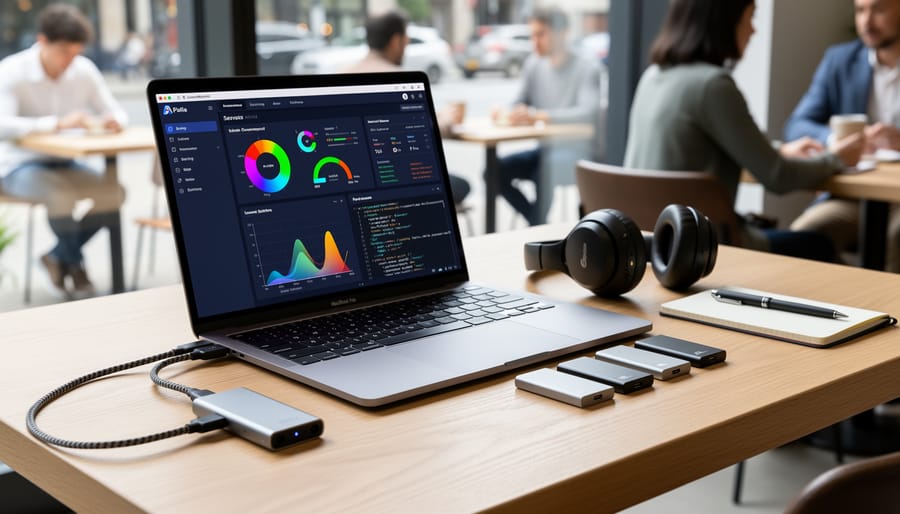
The MacBook Neo stands out as CNET’s pick for the best laptop under $600 in 2026, making it an accessible entry point for beginners exploring machine learning. At this price, you’re looking at a machine that can handle Python notebooks, smaller datasets, and learning fundamental ML concepts through libraries like scikit-learn. It works well for following online courses, running classification algorithms on modest datasets, and experimenting with basic neural networks that don’t demand heavy computational resources.
However, understand the trade-offs. The Neo’s integrated graphics mean you won’t be training deep learning models or working with computer vision projects that require GPU acceleration. Complex neural networks will train slowly, and you’ll hit memory limits faster with larger datasets. Think of it as your learning companion rather than a professional workstation. If your ML journey involves Kaggle competitions with massive datasets or real-time image processing, you’ll outgrow this quickly. But for students building foundational skills or hobbyists exploring data science basics, it delivers solid value without the sticker shock of dedicated ML machines.
Best for AI Performance
The Asus Zenbook A16 stands out as the performance leader for machine learning practitioners who need top-tier processing power. CNET’s testing found it delivers leading application and AI performance, making it ideal for handling complex neural networks and large-scale model training without the compromises inherent in budget options.
What sets the Zenbook A16 apart is its ability to crunch through the intensive calculations that ML work demands. Training convolutional neural networks or running transformer models benefits directly from this raw computational capability. If your projects involve computer vision, natural language processing, or any deep learning architecture that pushes hardware limits, this laptop provides the headroom you need.
The Zenbook A16 fits ML practitioners who’ve moved beyond basic projects and coursework into serious model development. You’ll notice the performance advantage during the iterative training cycles that eat up hours on lesser machines, and when testing different hyperparameters across multiple model runs simultaneously.
Best Entry-Level Gaming/ML Hybrid
The MSI Katana 15 HX stands out as the most practical entry point for anyone wanting both gaming capability and machine learning performance without breaking the bank. This laptop pairs a low-end Nvidia GeForce RTX 5050 with a 14th Gen Intel Core processor, delivering dedicated graphics power that integrated solutions simply can’t match.
What makes this combination compelling for ML beginners is the RTX 5050’s ability to handle real GPU-accelerated training. You won’t train massive neural networks overnight, but you’ll work through coursework, experiment with standard datasets, and run smaller models without the frustration of watching progress bars crawl. The 14th Gen Intel processor provides enough CPU muscle for data preprocessing and code compilation.
The gaming heritage brings tangible benefits: robust cooling systems designed for sustained loads, which ML training demands, and build quality that handles heat better than ultraportable alternatives. You’re getting hardware designed to push hard for hours, not throttle after twenty minutes.
This isn’t a professional ML workstation. The RTX 5050 sits at the lower end of dedicated GPU performance, so training times will lag behind higher-tier cards. But for students, hobbyists, or anyone testing whether ML work suits them before investing thousands, it offers genuine capability at an accessible price point.
Common Mistakes to Avoid When Buying an ML Laptop
Underestimating GPU Importance
One of the costliest mistakes beginners make is assuming their laptop’s integrated graphics will handle machine learning tasks. Integrated GPUs share system memory and lack the parallel processing architecture that neural networks demand. When you try to train even a modest image classification model on integrated graphics, tasks that should take minutes stretch into hours or simply fail with out-of-memory errors.
The performance gap is dramatic. A simple convolutional neural network training on a dataset of 10,000 images might complete in 15 minutes on a laptop with a dedicated NVIDIA GTX or RTX GPU. That same task on integrated graphics could take three to four hours, assuming it completes at all. The difference compounds with model complexity. Deep learning frameworks like TensorFlow and PyTorch are optimized for CUDA cores found in dedicated NVIDIA cards, not the shared architecture of integrated solutions.
This isn’t just about speed. Many ML libraries detect your hardware and automatically disable certain features or limit batch sizes when they don’t find a proper GPU. You end up working with one hand tied behind your back, unable to experiment with realistic model sizes or iterate quickly enough to learn effectively. If your budget is tight, a laptop with even an entry-level dedicated GPU like the RTX 5050 will serve you far better than a more expensive system relying on integrated graphics.
Skimping on RAM
Buying a laptop with just 8GB of RAM might save you money upfront, but it sets you up for immediate frustration with machine learning work. Even simple model training requires juggling datasets in memory alongside your development environment, web browser, and the OS itself. With 8GB, you’ll watch your system crawl as it constantly swaps data to disk, turning a twenty-minute training run into an hour-long slog.
The real kicker? Most modern laptops solder RAM directly to the motherboard, making upgrades impossible. That budget-friendly 8GB machine becomes a dead end the moment you need to work with slightly larger datasets or run multiple experiments. Starting with 16GB minimum, and 32GB if your budget allows, means buying once instead of replacing the entire laptop in six months when you hit the memory wall on your first serious project.
Ignoring Cooling and Thermals
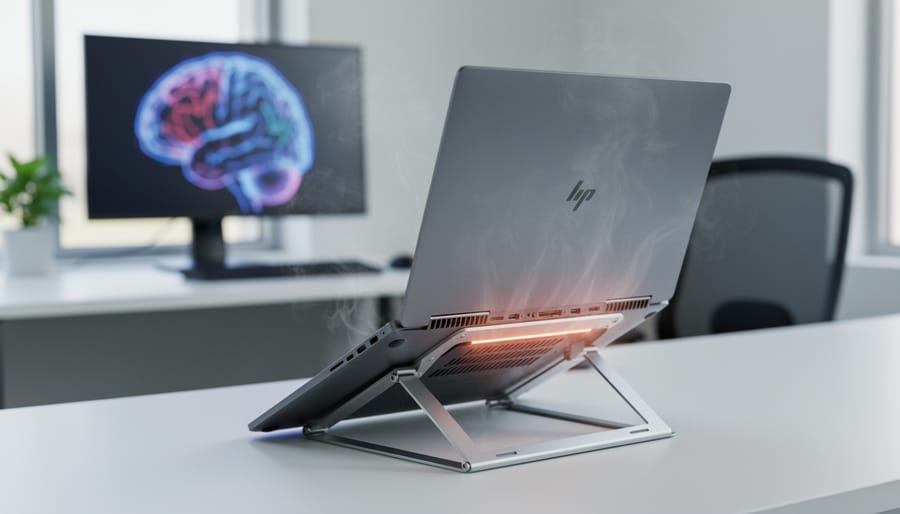
Machine learning workloads push your laptop’s components harder than typical office tasks or web browsing. Training models, especially deep learning networks, forces the CPU and GPU to run at high capacity for extended periods, sometimes hours at a time. This sustained load generates significant heat that can throttle performance, shorten component lifespan, and even cause system crashes mid-training if cooling can’t keep up.
A good cooling system typically includes multiple heat pipes, larger vents, and strategically placed fans that exhaust hot air away from critical components. Watch for laptops with thick chassis designs in the gaming or workstation category, they usually have better thermal headroom than ultra-thin models. Check reviews that mention thermal performance under load, not just idle temperatures.
Signs of poor thermal design include loud, constant fan noise even during light tasks, a hot keyboard deck that’s uncomfortable to touch, or performance that drops noticeably after 20-30 minutes of intensive work. Before buying, search for thermal reviews of your shortlisted models and look for phrases like “thermal throttling” or “hot spots.” If a laptop consistently throttles its processor or GPU during sustained loads, you’ll waste money on specs you can’t actually use when training matters most.
Forgetting About Future Needs
Machine learning models grow more demanding over time. What runs smoothly today may struggle in six months as you tackle larger datasets or more complex architectures. Buying a laptop that barely meets your current needs locks you into limitations quickly. Opt for 32GB RAM over 16GB if your budget allows, and choose a mid-tier GPU like an RTX 5060 rather than the absolute minimum. This headroom means you won’t hit a wall when your coursework advances or your personal projects expand beyond simple classification tasks.
Making Your Final Decision
Start by listing what you’ll actually do with your laptop. Are you taking online courses that use small datasets? Building personal projects with image recognition? Running deep learning experiments for research? Write down your typical workload and be honest about it, this clarity prevents both overspending and buying too little.
Next, set your realistic budget range. If you have $800 to spend, don’t torture yourself comparing $2,500 workstations. Focus on the $700-$1,000 bracket where you’ll make your choice. Remember that your budget should include any immediate accessories like an external monitor if you’ll need one.
Now rank your priorities. For most ML practitioners, the order goes: GPU first, RAM second, processor third, storage fourth. If your work involves training neural networks, a dedicated graphics card becomes non-negotiable, that RTX 5050 in a budget system will outperform a higher-end CPU with integrated graphics every time. But if you’re doing data analysis with lighter models, you might shift RAM to the top spot.
Create a shortlist of three to five laptops that meet your minimum requirements. Use the specific recommendations from earlier sections as your starting points, models like the Lenovo Yoga 7i 2-in-1 or the Asus Zenbook A16 for different needs. Check each against your priority list rather than getting distracted by marketing claims about features you won’t use.
Finally, consider your 18-month needs, not just today’s. Your ML skills will grow and so will your project complexity. The laptop that barely meets your current requirements will feel limiting within six months. Buying one tier up, say, 32GB RAM instead of 16GB, or a mid-range GPU instead of entry-level, usually proves worthwhile. Trust your research and make the purchase.
Frequently Asked Questions
Can you really do machine learning on a laptop, or is cloud computing the only viable option? Many aspiring ML practitioners wonder if their hardware investment will actually handle the workload, and whether certain platforms or specifications are deal-breakers. The good news is that laptops have become increasingly capable for machine learning tasks, though the right choice depends on your specific needs and project complexity. Below are answers to the most common questions that come up when selecting and using laptops for ML work.
Can I use a Mac for machine learning?
Yes, Macs with Apple Silicon chips work well for many ML tasks thanks to their unified memory architecture and Metal Performance Shaders. However, NVIDIA CUDA support remains stronger on Windows and Linux systems, which matters for certain frameworks and libraries that are optimized for NVIDIA GPUs.
Do I need a laptop or can I use cloud computing instead?
Cloud computing services like Google Colab or AWS offer powerful alternatives for intensive training tasks, but having your own laptop gives you immediate access for experimentation, prototyping, and smaller projects without ongoing costs. Many ML practitioners use both: a capable laptop for development and cloud resources for heavy training runs.
What’s the minimum GPU memory I need for machine learning?
For learning and small projects, 4GB of VRAM works, but 6-8GB provides much more headroom for realistic datasets and model architectures. Professional deep learning work typically benefits from 8GB or more to handle larger batch sizes and complex neural networks.
Can I upgrade the RAM in my laptop later?
Some laptops allow RAM upgrades through accessible slots, but many modern thin-and-light models have soldered memory that cannot be changed after purchase. Always check the specific model’s upgradeability before buying if you’re considering starting with less RAM and upgrading later.
Another practical concern is longevity. A well-chosen ML laptop typically remains useful for three to five years, though your ability to work with cutting-edge models may gradually decrease as architectures grow more demanding. The pace of ML advancement means that what handles large language models comfortably today might struggle with tomorrow’s state-of-the-art approaches, but foundational ML work, data preprocessing, and algorithm development remain viable on older hardware. Investing in slightly better specifications than you currently need extends this useful lifespan and delays the point where cloud computing becomes necessary rather than optional.
Key buying factors
When selecting a machine learning laptop, three core specifications determine whether you’ll have smooth training sessions or frustrating bottlenecks. The GPU matters most, look for dedicated NVIDIA graphics in the GTX or RTX series rather than integrated chips, since parallel processing power directly impacts how quickly your models train. You need at least 16GB of RAM to handle datasets comfortably, though 32GB gives you room to work with larger models without constant memory warnings.
Your processor creates the foundation for everything else. For serious ML work, target Intel Core i7 or Ultra 7 H/HX processors that can manage multiple threads during training. Storage requires balancing speed and capacity, a 256GB SSD loads datasets faster than traditional drives, but a 1TB HDD gives you space for multiple projects. If your budget allows hybrid storage combining both types, that’s ideal.
Consider cooling performance since ML tasks push hardware hard for extended periods. Check reviews mentioning fan noise and thermal throttling. Finally, match portability to your workflow: a 14-inch screen keeps weight manageable for students, while a 15.6-inch display gives data scientists more workspace for viewing code and results side-by-side.
Choosing the right machine learning laptop comes down to three core components: a capable GPU for training models efficiently, sufficient RAM to handle your datasets without choking, and a processor that can keep up with intensive computations. These aren’t negotiable if you want productive ML work.
Your specific needs matter more than chasing the highest specs. A student learning the fundamentals has different requirements than a researcher training complex neural networks daily. Start by honestly assessing what you’ll actually be doing, then match your budget to those real-world demands rather than aspirational projects you might tackle someday.
The good news? You don’t need to spend a fortune. Mid-range laptops with 16GB RAM, dedicated NVIDIA graphics, and a solid i7 processor handle serious machine learning workloads. They’ll train models, run experiments, and support your growth without breaking the bank. Focus your money on the GPU and RAM first since these directly impact your day-to-day experience.
Take your time comparing options using the factors we’ve covered. The right laptop should feel like a tool that gets out of your way, letting you focus on the fascinating work of building and training models rather than fighting hardware limitations.