
Yes, free accounting software exists, and some of it is genuinely good enough to run a real business on. Freelancers, side hustlers, and small shops can track income, send invoices, and record expenses without paying a monthly fee. You just need to pick the right kind.
There are three main flavors. Some tools are free forever but limited. Some are free to start, then ask you to pay as you grow. And open-source accounting software is free to use and change, though you often handle the setup yourself. Each one suits a different person.
Picture a freelance designer who just needs to send invoices and see what she earned this month. A simple free app will do that in an afternoon. Now picture a small shop owner who sells products and pays a part-time helper. He’ll likely outgrow a bare-bones tool fast.
This guide helps you sort it out in plain English. We’ll cover what to look for, compare the types side by side, match them to real situations, and flag the mistakes that cost beginners the most time and money. Let’s find the one that fits you.
What ‘Free’ Really Means in Accounting Software
“Free” gets used loosely in software, and in accounting it can mean three quite different things. Knowing which one you’re looking at saves a lot of frustration later.
Open-source software is the closest thing to truly free. Think of it like a recipe anyone can read, use, and adjust. The creators publish the “recipe” (the code), so you can run the software without paying a license fee, look at how it works, and even have someone customize it. That openness also means no single company controls your access to it.
Freemium tools give you a basic plan at no cost, then nudge you toward paid upgrades. The free plan might cover simple invoicing, for example, while extras like advanced reports or extra users cost money. It’s a handy way to start, but the free tier is a business decision made by the company, so what’s included can change.
Free trials are the least “free” of the three. You get full features for a limited time, then you either pay or lose access. They’re great for testing, but they’re not a long-term solution.
Here’s the part that surprises many beginners: free software can still carry costs. Open-source tools often need somewhere to run, which can mean paying for hosting or spending hours on setup. If something breaks, you might rely on community forums unless you buy paid support. Your own time is a cost too, especially if you’re learning as you go.
None of this makes free software a bad choice. It just means “free” describes the price of the software, not the full price of using it. Keep that in mind as you compare options.
Key Factors to Weigh Before You Pick a Free Accounting Tool
Security and Data Ownership Questions to Ask
Money records are some of the most sensitive files you’ll ever keep. They show what you earn, who you owe, and who pays you. So before you commit to any free tool, ask a few plain questions about where your data lives and who controls it.
Start with storage. Cloud-based apps keep your records on the provider’s servers, which is convenient but means you’re trusting someone else to protect them. Next, ask who can see your information. Check whether the tool lets you add separate logins, so a helper or bookkeeper doesn’t need your main password.
Then look at backups. Does the software save copies automatically, or is that up to you? Strong data backup & access habits matter whether your files sit on a laptop or in the cloud, because a lost device shouldn’t mean lost books.
The last question is the one most people skip: what happens if the free plan ends or the company changes its terms? Make sure you can export your records in a common format, like CSV, before you ever need to.
This is where open-source tools shine. When you self-host one, the data sits on a computer you own, and no company can lock you out or switch off your account. It does mean you’re responsible for security and backups, but it also means you can control your setup from top to bottom.
Open-Source vs. Freemium vs. Free-Forever: Types Compared

There’s no single “free” accounting tool. There are four main types, and each one trades control for convenience in a different way. Here’s how they stack up.
| Type | Best for | Main advantage | Main limitation |
|---|---|---|---|
| Open-source, self-hosted | Tech-comfortable users | Full control of your data and settings | You handle setup, updates, and backups |
| Open-source, cloud-hosted | Small shops wanting less upkeep | Open code without running a server | Hosting is often a paid add-on |
| Freemium cloud app | Solo freelancers with simple needs | Quick start, polished and easy to use | Free plans can cap features or volume |
| Spreadsheet-based | Very small, simple setups | Familiar tools and total flexibility | No built-in invoicing or tax checks |
Think of self-hosted open-source tools like cooking from scratch. You pick every ingredient and control the result, but you also do the shopping and the dishes. If you like that kind of hands-on setup, open-source accounting software gives you real ownership. Your records live on your own computer or server, and nobody can change the rules on you.
Cloud-hosted open-source options sit in the middle. You still get the open code, but someone else keeps the lights on. The catch is that the hosting itself may cost money, so “free” often means the software, not the service.
Freemium apps are the easiest way in. You sign up, send an invoice, and you’re done in an afternoon. A freelancer sending a few invoices a month usually fits here. The trade-off is that the company decides what’s free and what isn’t, and those limits can change. Always check the current plan details on the provider’s own site before you commit.
Spreadsheets are the old standby. A simple income-and-expenses sheet can work fine for a tiny side hustle. But you’ll build everything yourself, from invoice templates to totals, and mistakes are easy to miss.
So the real question is how much control you want versus how much work you’re willing to do. More control usually means more effort. More convenience usually means more limits.
Which Free Option Fits You? Recommendations by Situation
Different people need very different things from their books, so the best free option really depends on your situation. Here are four common scenarios, with some well-known projects to explore. Features and licensing change over time, so always check each project’s official site before you commit.
The freelancer sending a few invoices a month. You don’t need a full accounting system. You need to create invoices, log expenses, and see roughly what you earned. A simple cloud app with a free plan or a tidy spreadsheet template will usually do the job. Think of a freelance writer who sends three invoices a month: a basic setup beats a complicated one she’ll never open.
The small business with inventory. Once you’re tracking stock, suppliers, and sales, you need more than basic bookkeeping. Look at ERP-style suites such as ERPNext, which bundle accounting with inventory and sales in one place. These can take real effort to set up, so budget some time to learn them. If you want to browse the wider field first, our roundup of free accounting tools is a good starting point.
The nonprofit or club tracking donations. Your priorities are different: recording contributions, separating funds, and producing simple reports for members or a board. A desktop bookkeeping program like GnuCash can work well here, since it uses proper double-entry bookkeeping (every transaction is recorded in two places so your books always balance). Pair it with a volunteer treasurer who is comfortable with the basics.
The tech enthusiast who wants full control. If you enjoy tinkering, self-hosting an open-source accounting system lets you own your data and customize it. You’ll handle your own updates, security, and backups, which is both the perk and the responsibility.
Whichever path you pick, treat these projects as places to start exploring, not final answers. A quick visit to each official site will confirm what’s currently included and how it’s licensed.
How to Test-Drive a Free Accounting Tool in 5 Steps
Trying a free tool before you commit saves you from a painful switch later. Here’s a simple five-step test run, using a freelance designer named Maya as our example.
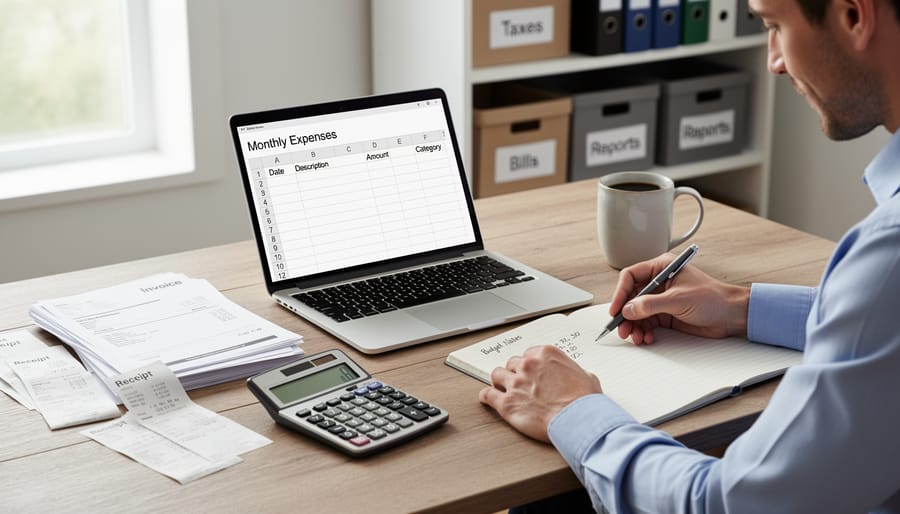
Step 1: List your must-have tasks. Write down what you actually need the software to do. Maya jots down three things: send invoices to clients, track business expenses like stock photos and software subscriptions, and see how much she earned each month.
Step 2: Set up a safe test. Never start with your only copy of your financial records. Use sample figures or a backup of your data. Maya creates a test company and enters a few made-up clients so she can poke around without worrying about mistakes.
Step 3: Record a week of real transactions. Use the tool the way you would in daily life. Maya logs her income, her coffee-shop coworking fees, and a new font license. By day three she notices whether adding an expense feels quick or annoying, which tells her more than any feature list.
Step 4: Create an invoice and a report. Send yourself a sample invoice and check that it looks professional and includes what your clients expect. Then run a simple profit and loss report. If the numbers are hard to find or hard to read, that’s a warning sign.
Step 5: Test the exit door. Export your data to a common format such as CSV, then open it in a spreadsheet. If you can’t get your records back out cleanly, think twice. Being able to leave easily matters more than any single feature.
If the tool passes all five steps, you can adopt it with confidence. If it stumbles on any of them, you’ve lost only a week, not a year of bookkeeping.
Common Mistakes to Avoid With Free Accounting Software
Almost everyone makes a few of these slips when they start out, and they’re easy to fix once you know about them. Here’s what to watch for, with a quick fix beside each one.
- Choosing on price alone: Compare features and how easy the tool is to use, not just the zero on the price tag.
- Skipping backups: Save a copy of your data on a schedule, and keep it somewhere other than the same computer or server.
- Ignoring tax and legal rules where you live: Check that the tool supports your local tax rates and record-keeping requirements before you commit.
- Overestimating your tech comfort with self-hosted tools: Be honest about whether you enjoy setting up servers, and pick a cloud-hosted option if you don’t.
- Outgrowing a free plan with no exit plan: Test exporting your data early, so switching later never feels like a trap.
- Never asking an accountant: Book a quick check-in for tax questions, even if you handle the day-to-day bookkeeping yourself.
A real-world example makes this clearer. Picture a small bakery owner who picks a free tool because it costs nothing, then discovers months later that it can’t handle her local sales tax. She also never backed anything up. Two small habits, checking tax support first and saving a monthly backup, would have saved her a stressful weekend.
None of these mistakes mean free software is a bad idea. They just mean free software asks you to pay attention in a few spots that paid tools sometimes handle for you. Treat that as a short checklist, not a warning, and you’ll be in good shape.
Quick Answers to Common Questions
Is free accounting software safe?
It can be, but safety depends on the tool and how you use it. Check where your data is stored, whether backups exist, and who can access it. For self-hosted open-source tools, keeping the software updated and backed up is your job.
Can I use it for a real business?
Yes, many small businesses and freelancers do. Just confirm that it covers your basics, like invoicing, expense tracking, and reports, and that it fits the tax rules where you live.
Is open-source accounting software hard to set up?
It varies. Desktop tools usually install like any other app, while server-based suites can take real time and some technical comfort. If you’re a beginner, start with the simpler option.
Will I be able to move my data later?
Often, yes, but test it before you commit. Look for export options like CSV files so you aren’t stuck if you outgrow the tool or a free plan ends.
Whichever questions matter most to you, the pattern is the same: free software hands you the tools, and you stay responsible for using them well. Do you still need an accountant? For day-to-day bookkeeping, probably not. For tax filing, deductions, or anything legally tricky, a quick chat with a professional is still money well spent. Think of your software as your organized filing cabinet and your accountant as the expert who helps you make sense of what’s inside.
So, is there any free accounting software? Yes, and it’s a real, practical option, not just a stopgap. Open-source tools, free plans, and even a well-built spreadsheet can all keep your books in good shape when you pick the right one for your situation.
Let’s boil the decision down to three questions. What do you actually need: invoices, expense tracking, inventory, or donation records? What can you comfortably manage: a ready-made cloud app, or something you host and maintain yourself? And how will you test it safely, using sample data and a quick export check before you trust it with the real thing?
You don’t have to get this perfect on day one. Pick one or two tools that fit your answers, run the five-step trial from earlier, and see how they feel after a week of real use. If one clicks, great. If not, you’ve lost nothing but a little time. Start small, stay curious, and keep a backup.