
Learning gamified works by turning computer science concepts into interactive challenges where you earn points, unlock levels, and track progress in real time, making abstract coding ideas stick through immediate feedback and play. This method cuts study time for most beginners by 30-40% because your brain treats each puzzle like a game you want to win, not a textbook chapter you have to survive.
Instead of staring at syntax documentation for hours, you learn Python loops by guiding a character through a maze or debug JavaScript by solving escape-room style puzzles. The dopamine hit from completing each challenge keeps you coming back, and the structured progression ensures you master fundamentals before tackling advanced topics like algorithms or data structures.
The approach works particularly well for beginners who’ve tried traditional courses and quit halfway through. Platforms built around this model break down intimidating subjects into bite-sized tasks, each one solvable in 5-15 minutes. You see your code run immediately, get hints when you’re stuck, and build a visible portfolio of completed challenges that proves you understand the concepts.
This guide walks you through choosing the right gamified platform for your goals, setting up your learning environment, and following a proven step-by-step process to actually retain what you learn. You’ll also find troubleshooting tips for common roadblocks and ways to verify you’re ready to move from gamified exercises to real projects. Whether you’re starting from zero or filling gaps in your knowledge, this method gives you a clear path forward without the usual frustration.
What You’ll Need to Get Started
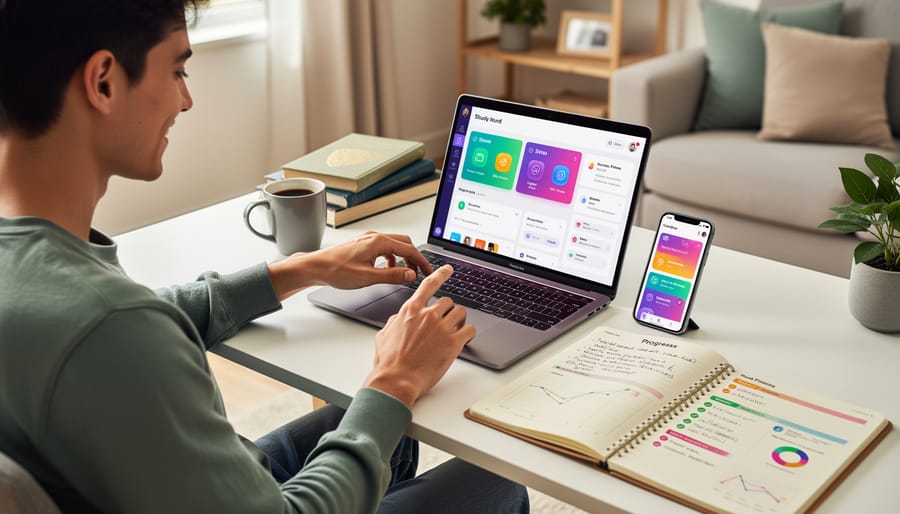
Getting started with gamified computer science learning doesn’t require much. The barrier to entry is refreshingly low compared to traditional coding courses, which makes it perfect if you’re testing the waters or learning on a budget.
Here’s what you’ll need:
- A deviceAny computer, laptop, tablet, or smartphone works, though a laptop or desktop gives you more screen space for coding challenges and makes typing easier.
- Reliable internet accessMost gamified platforms run in your browser or require downloads and updates, so a stable connection matters.
- A gamified learning platformFree options like Grasshopper (mobile-friendly, great for absolute beginners) or CodeCombat (teaches Python and JavaScript through gameplay) let you start immediately, while platforms like Codecademy offer free tiers with optional paid upgrades for certificates and projects.
- Note-taking tools (optional)A simple notebook or digital note app helps you jot down new concepts, track which topics you’ve mastered, and record “aha” moments that games trigger.
- Headphones (optional)Some platforms include audio feedback, music, or narrated tutorials that enhance the experience without disturbing others.
If you’re planning to advance beyond beginner exercises into data science or machine learning later, you might eventually want to buy a ML laptop or an R machine learning laptop with more processing power. But for starting out with gamified fundamentals in 2026, your current device almost certainly handles the job fine. Most beginner-focused game platforms run smoothly even on older hardware or budget smartphones, removing the excuse that you need expensive equipment to learn code.
Before You Begin: What to Watch Out For

Before jumping into gamified computer science learning, understand what these platforms can and can’t do for you. Games are designed to keep you engaged, which is great for motivation but can create blind spots in your actual understanding.
The biggest trap is mistaking game progress for real coding ability. Just because you’ve unlocked all the badges in a platform doesn’t mean you can build a functional website or debug someone else’s code. Gamified environments often provide heavy scaffolding, pre-written code templates, limited error messages, hint systems that practically solve problems for you. This support makes learning feel smooth, but real programming is messier and requires you to work without guardrails.
Watch out for platforms that have become too easy. If you’re breezing through every challenge without getting stuck or needing to think, you’re not learning much anymore. The sweet spot is when about 70% of challenges feel achievable with effort, and 30% push you to struggle a bit.
Screen time matters, especially if you’re spending hours gaming your way through lessons. Your brain needs breaks to consolidate what you’ve learned. Two focused 30-minute sessions beat a single three-hour marathon.
Finally, recognize when it’s time to graduate. If you find yourself thinking “I could build this better” or getting frustrated by the game’s limitations, that’s your cue to start writing actual programs. The training wheels need to come off eventually.
Step-by-Step: Implementing Gamified Learning in Your CS Journey
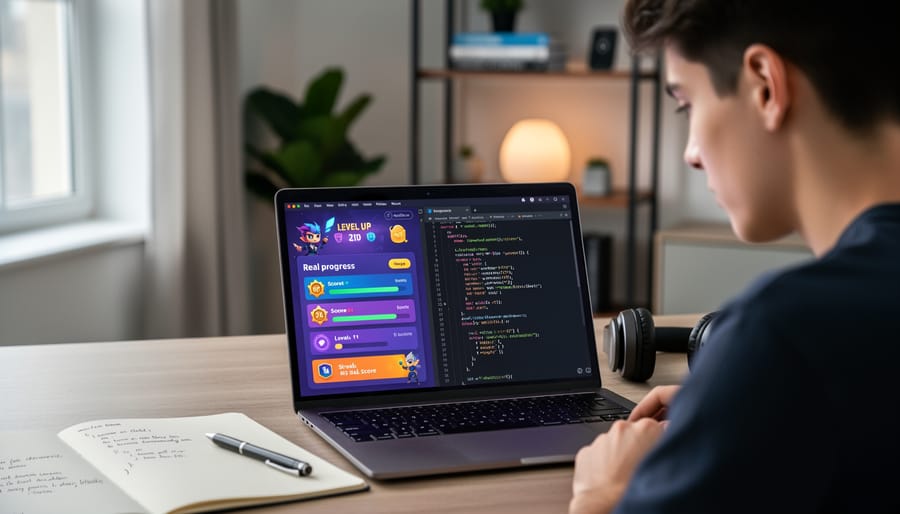
Step 1: Choose Your Starting Point
Start by honestly evaluating what you already know. If you’ve never written a line of code, you’re a complete beginner. If you’ve dabbled with HTML or followed a few tutorials, you’re at the early-intermediate stage. If you understand variables, loops, and functions but want to strengthen specific skills, you’re intermediate.
For absolute beginners, Grasshopper (mobile app) teaches JavaScript fundamentals through visual puzzles that feel like mobile games. CodeCombat lets you control a character by writing Python or JavaScript commands, making syntax immediately tangible. Both assume zero prior knowledge.
Early-intermediate learners benefit from Codecademy’s gamified courses, which add streak counters and skill trees to traditional lessons. The platform breaks down web development, Python, and SQL into bite-sized challenges with instant feedback.
Intermediate programmers should try Codewars or LeetCode, where you solve algorithm puzzles ranked by difficulty. These platforms use points, ranks, and community solutions to make problem-solving competitive and social.
Pick one platform that matches your current level. Don’t start with algorithm challenges if you don’t know what a variable is. The right starting point keeps you challenged without overwhelming you.
Step 2: Set Clear Learning Goals
Once you’ve picked your platform, narrow your focus to one specific skill area rather than trying to learn everything at once. Decide whether you want to master Python fundamentals, build your first website, or understand data structures and algorithms. Most gamified platforms organize content into skill trees or learning paths, choose one that matches your immediate goal.
For example, if you’re interested in web development, set a goal like “complete the HTML/CSS basics track and build three simple web pages within two weeks.” If you’re drawn to data science, you might aim to “finish the Python fundamentals module and solve ten data manipulation challenges this month.” The key is making your goal specific and measurable within the platform’s structure.
Write down your goal and break it into smaller milestones that align with the game’s progression system. If your platform awards badges for completing sections, use those as checkpoints. Some learners even create parallel goals, you might work through JavaScript challenges on one platform while you set up R coding exercises on another to explore statistical programming. This targeted approach prevents aimless clicking through random challenges and keeps you motivated as you complete clearly defined objectives.
Step 3: Create a Consistent Practice Schedule
The secret to mastering computer science through gamified learning isn’t cramming for hours on weekends, it’s showing up consistently. Start by committing to a manageable daily target: 20 minutes is enough to trigger progress. Most gamified platforms use daily streak systems that reward consecutive days of practice with bonus points, unlockable content, or special badges. These streaks create gentle accountability that keeps you coming back even on busy days.
Schedule your practice session at the same time each day to build a habit. Morning sessions before work or school often succeed because competing demands haven’t piled up yet. Set calendar reminders initially, but let the platform’s own notifications reinforce your routine. After a week of consistency, your brain starts anticipating the session.
Research shows that spaced repetition improves retention far more effectively than marathon study sessions. Gamified platforms naturally incorporate this by mixing new challenges with periodic reviews of earlier concepts. A 15-minute session each day embeds knowledge deeper than cramming for two hours once a week. Track your achievement unlocks as motivation markers, each new badge signals real skill progression, not just time spent clicking through exercises.
Step 4: Engage with Interactive Challenges
When you encounter a coding puzzle or debugging challenge, resist the urge to immediately check the solution. Spend at least five minutes experimenting with different approaches first. Try breaking the problem into smaller pieces, if you’re stuck on a complex function, test individual parts of your code separately to isolate where things go wrong.
Most gamified platforms include hint systems, but use them strategically. Start with the most general hint available, then pause and attempt the problem again before requesting additional help. This prevents hint dependency while still providing support when you genuinely need it.
If you’re completely stuck after multiple attempts and hints, step away for 15-30 minutes. Your brain continues processing problems in the background, and you’ll often return with fresh perspective.
Don’t skip error messages, they’re teaching moments. When your code fails, read the error carefully and try to understand what it’s telling you before making random changes. Many platforms highlight the specific line causing trouble, which narrows down where to focus your debugging efforts.
Finally, replay completed challenges occasionally. Solving a puzzle a second time using a different method reinforces your understanding and reveals alternative approaches you might have missed initially.
Step 5: Track Your Progress with In-Game Metrics
Most gamified platforms display your progress through badges, experience points (XP), and completion percentages. Check your dashboard daily to see which skills you’ve mastered and which need more practice. A rising XP score shows consistent effort, but focus on the underlying skill progress rather than just point accumulation.
Completion percentages reveal how much of a course or topic you’ve finished. If you’re stuck at 60% for weeks, that’s a signal to revisit difficult concepts or switch to a different learning path. Badges indicate milestones you’ve reached, like “completed 10 Python challenges” or “debugged 5 programs without hints.” Collect these, but remember they represent specific competencies, review what each badge required you to learn.
Leaderboards can motivate you, but don’t let them become distractions. Ranking high means you’re putting in time, not necessarily learning deeply. Compare your current abilities to your past self: Can you solve problems faster? Do you understand why your code works? Are you making fewer syntax errors? These real-world improvements matter more than any in-game score.
Screenshot your stats weekly to visualize your growth over time.
Step 6: Transition to Real Projects
When you find yourself solving puzzles without hints, explaining code logic to friends, or mentally debugging problems while away from your screen, you’re ready to build something real. Most learners hit this transition point after 30-60 hours of gamified practice, though readiness matters more than time invested.
Start with projects that extend what you’ve mastered in game environments. If you conquered loop challenges in CodeCombat, build a simple to-do list app. Completed JavaScript puzzles on Grasshopper? Create an interactive quiz webpage. The key is choosing projects one difficulty level above your comfort zone, challenging enough to require problem-solving, but not so complex you’ll abandon them frustrated.
Your first three projects should follow this progression:
- Modify existing code: Take a tutorial project and add one new feature, like changing a calculator app to handle percentages.
- Recreate a simple tool: Build a basic version of something familiar, a tip calculator, random password generator, or countdown timer.
- Design from scratch: Plan and code an original project that solves a real problem you face, even if it’s just organizing your study notes.
Set up a proper development environment on your laptop for coding practice moving beyond in-browser editors. Install a code editor like VS Code, learn to use documentation instead of game hints, and embrace the messiness of real debugging. Expect your first projects to take longer than anticipated, that’s normal. The structured feedback loops from games disappear, replaced by cryptic error messages and Stack Overflow searches.
Maintain some gamified practice while building projects. Alternate days between guided challenges and independent work, or dedicate weekends to real coding while keeping weekday game streaks alive. This hybrid approach prevents overwhelm while reinforcing fundamentals through varied application.
How to Know If It’s Working
You’ll know gamified learning is paying off when you notice specific shifts in how you interact with code. The clearest sign is completing challenges that would have stumped you weeks ago, if you’re breezing through puzzles that once required multiple hints, your mental model is improving. Another strong indicator is understanding code snippets you encounter outside your learning platform. When you see a JavaScript loop in a YouTube tutorial or a Python function in a blog post and immediately grasp what it does, that’s real comprehension transferring beyond the game context.
Your ability to explain what you’ve learned matters more than your badge collection. Try teaching a concept like variables or functions to someone who doesn’t code. If you can break it down without relying on the game’s metaphors, you’ve internalized it. Similarly, when you start recognizing patterns, seeing how a loop solves multiple unrelated problems, for instance, you’re building genuine problem-solving skills rather than just memorizing solutions.
When you’re consistently scoring 80% or higher on new challenges without retrying, it’s time to increase difficulty. Switch to the next tier within your current platform, add a second app that covers different concepts, or try coding challenges on sites like HackerRank that strip away the game layer. If you find yourself curious about topics your platform doesn’t cover, that curiosity signals readiness to explore additional resources or upgrade for deeper CS study.
The ultimate verification comes when you build something outside the guided environment. Start with a simple calculator, a to-do list, or a personal website. If you can translate your idea into working code, even with frequent Googling, gamified learning has given you a functional foundation worth building on through community projects and portfolio development.
Common Questions About Gamified Computer Science Learning
Can you actually learn to code through gamified platforms? Absolutely. Thousands of developers started their journey with game-based platforms and successfully transitioned to professional roles. The key is understanding that these platforms teach you real programming concepts, variables, loops, functions, data structures, through interactive challenges rather than passive reading. You’re writing actual code that executes and produces results, just within a more engaging framework than traditional textbooks.
How long does it take to learn coding fundamentals through gamified platforms?
Most beginners grasp basic programming concepts within 2-3 months of consistent daily practice (30-60 minutes). Reaching intermediate proficiency typically takes 6-12 months, depending on your learning pace and goals.
Are paid gamified platforms worth it compared to free options?
Free platforms like Grasshopper and Khan Academy offer excellent foundations for beginners. Paid options like Codecademy Pro provide more structured paths, additional projects, and certificates, which can be valuable if you want guided progression and portfolio pieces.
Is gamified learning suitable for all age groups?
Yes, platforms exist for every age range. Kids as young as 5 can use visual block-based games like ScratchJr, while adults prefer text-based platforms with real-world applications. The approach adapts well because game mechanics naturally accommodate different learning speeds.
Can gamified learning prepare me for a computer science degree or programming job?
It’s an excellent starting point but shouldn’t be your only resource. Gamified platforms build strong fundamentals and problem-solving skills, but you’ll need to supplement with formal coursework, textbooks, and real project experience for degree-level work or professional roles.
The effectiveness comes down to your approach. Treat gamified platforms as the engaging entry point they’re designed to be, not a complete education. Combine them with reading documentation, building personal projects, and eventually contributing to open-source code. Many successful developers credit game-based learning for making those crucial first concepts click, giving them the confidence to pursue deeper study. The gamification removes the intimidation factor that stops many people from even trying to code.