
Kubernetes is an open-source platform that automates the deployment, scaling, and management of containerized applications across clusters of computers. Think of it as a smart orchestrator that takes care of running your software containers (packaged applications with everything they need to run) so you don’t have to manually manage where each one lives or how they communicate.
If you’re working with deep learning models, Kubernetes has become essential. Training a neural network might require spinning up dozens of GPU-powered machines, running experiments in parallel, and then shutting everything down when you’re done. Doing this manually is tedious and error-prone. Kubernetes handles it automatically, letting you focus on your models instead of infrastructure headaches.
The platform solves real problems that AI and machine learning teams face daily. Your training job crashes halfway through? Kubernetes can restart it. Need to scale up from two GPUs to twenty for a bigger dataset? Kubernetes distributes the workload. Want to serve your trained model to users without downtime? Kubernetes keeps it running and routes traffic intelligently.
This guide breaks down how Kubernetes actually works under the hood, explains the core components you’ll interact with, and shows you practical examples of running deep learning workflows. You’ll see why data scientists and ML engineers have adopted it so widely, and you’ll understand enough to start experimenting with your own projects. We’re skipping the hype and focusing on what you need to know to put Kubernetes to work for machine learning tasks in 2026.
What a Kubernetes Deep Dive Really Means
When people talk about taking a “Kubernetes deep dive,” they’re not just learning how to start and stop containers, they’re getting under the hood to understand how Kubernetes makes decisions about where your work runs, how it recovers from failures, and how it keeps everything balanced when you’re running dozens or hundreds of tasks at once.
Think of it this way: anyone can learn to drive a car by following basic instructions. But understanding how the engine, transmission, and braking system work together helps you diagnose problems, optimize performance, and make smarter decisions when things go wrong. That’s what a deep dive into Kubernetes offers, it moves you from “I can deploy a container” to “I understand why Kubernetes scheduled my training job on this particular machine and how to make better use of the cluster’s resources.”
For deep learning projects, this deeper knowledge matters because training models is resource-intensive and expensive. You’re often working with multiple GPUs, massive datasets, and training runs that take hours or days. A surface-level understanding might get a model running, but you’ll waste time and money if you don’t know how Kubernetes allocates GPU resources, handles job priorities, or manages storage for your training data.
Before we go further, let’s clarify some core terms you’ll encounter:
- Containers
- Packaged applications with everything they need to run, your code, libraries, and dependencies, isolated from other software on the same machine.
- Pods
- The smallest unit Kubernetes manages, usually one or more containers that work together and share resources like storage and networking.
- Nodes
- Individual machines (physical servers or virtual machines) in your cluster where pods actually run and do the computational work.
- Clusters
- A group of nodes working together as one system, managed by Kubernetes to run your applications and distribute workloads.
- Orchestration
- The automated process of deploying, scaling, and managing containers across multiple machines, Kubernetes handles this coordination so you don’t have to manually manage each container.
A genuine deep dive means understanding how these pieces interact, how the system decides which node gets your GPU-hungry training job, what happens when a node fails mid-training, and how to configure resource limits so one team’s experiment doesn’t starve another’s. This knowledge transforms Kubernetes from a mysterious black box into a tool you can shape to fit your deep learning workflow.
How Kubernetes Works Behind the Scenes
The Control Plane: Kubernetes’ Brain
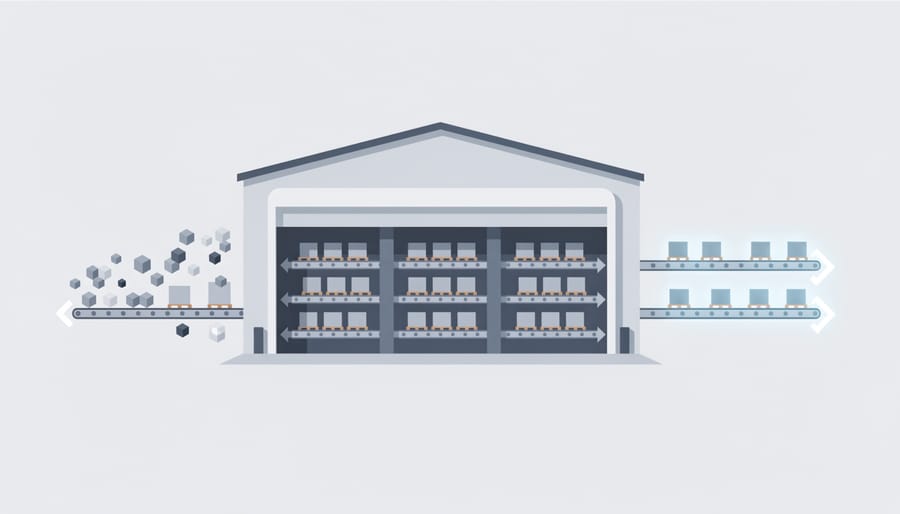
The Kubernetes control plane is like the management office of a busy warehouse. While the workers handle the physical tasks, managers make the decisions, assign work, and keep everything coordinated. In Kubernetes, this “management office” consists of three main components that work together to run your cluster.
First, there’s the API server, think of it as the front desk where everyone communicates. When you want to deploy a new deep learning model or check on running jobs, you talk to the API server. It’s the only way into the control plane, handling all requests and making sure they’re legitimate before taking action.
Next comes the scheduler, which acts like a smart assignment manager. When you submit a new training job, the scheduler examines what resources it needs, GPUs, memory, storage, and finds the best worker node to run it. It considers which machines have available GPUs, which nodes are already busy, and any special requirements your job might have. For deep learning workloads that need expensive GPU time, this intelligent placement saves both money and training time.
Finally, the controller manager is the vigilant supervisor who continuously monitors the cluster. It watches to ensure that the desired state matches reality. If a training pod crashes unexpectedly, the controller manager notices and restarts it. If you’ve requested three copies of a model server for redundancy, it makes sure exactly three are running, no more, no fewer.
Together, these three components keep your deep learning workloads running smoothly without requiring constant manual intervention.
Worker Nodes: Where the Work Happens
If the control plane is Kubernetes’ brain, worker nodes are the hands and tools that do the actual work. These are the physical or virtual machines where your deep learning models train, crunch data, and make predictions.
Think of worker nodes like individual workstations in a factory. Each workstation (node) has its own CPU, memory, and, crucially for deep learning, potentially powerful GPUs. Multiple worker nodes together form your Kubernetes cluster, giving you a pool of computing power.
Inside each worker node, you’ll find pods, the smallest units Kubernetes manages. A pod is like a small workspace that holds one or more containers. Containers are the packaged environments where your actual code runs: your TensorFlow training script, PyTorch model, or data preprocessing pipeline. Each container includes everything needed to run that specific task, code, libraries, dependencies, isolated from everything else.
When you submit a deep learning job, Kubernetes places it into a pod on a worker node with available resources. If your model needs a GPU, Kubernetes finds a node with a GPU available. If that pod crashes, Kubernetes automatically restarts it on the same or different node. You don’t manually choose machines, Kubernetes handles the placement and keeps everything running.
Networking and Storage in Kubernetes
Kubernetes creates a virtual network so containers can talk to each other, even when they’re running on different physical machines. Think of it like giving every container its own phone number, they can call each other without worrying about which building they’re in. This matters enormously for deep learning because your training code needs to coordinate across multiple GPUs and fetch data from storage.
Data persistence is trickier. Containers are temporary by design, they disappear when finished. But your training datasets and model checkpoints can’t vanish. Kubernetes solves this with volumes, which are like external hard drives that attach to containers. When you save a checkpoint during training, it goes to a persistent volume that survives even if the container crashes. You can use regular disk storage, cloud storage buckets, or high-speed shared filesystems depending on your data size and access patterns.
Key Components of a Kubernetes System
GPU Support and Resource Quotas
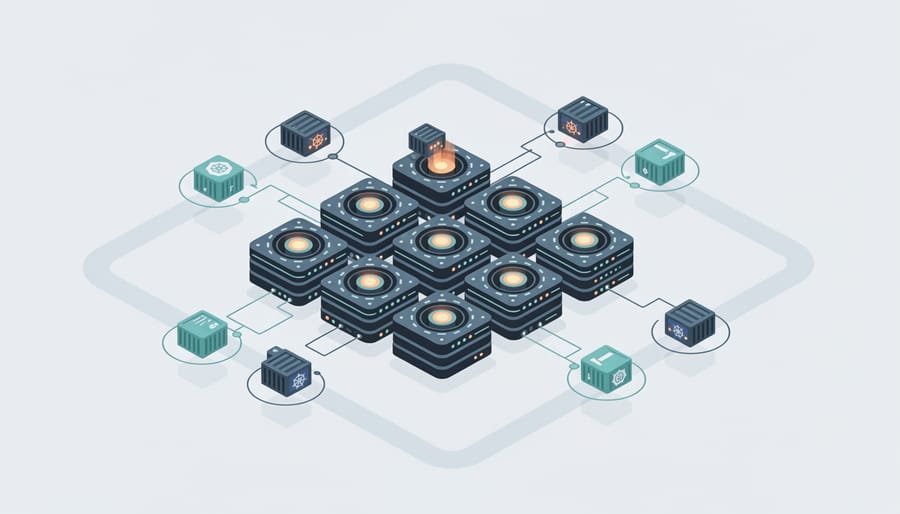
Deep learning models are power-hungry beasts, they need GPUs, not just regular CPUs. Kubernetes wasn’t originally built with GPUs in mind, but it’s evolved to handle them pretty well.
When you add GPUs to your Kubernetes cluster, you mark them as special resources. Then, when launching a training job, you specify “I need 2 GPUs” in your configuration. Kubernetes finds a node with available GPUs and assigns your pod there. It’s like reserving specific equipment from a shared pool rather than everyone fighting over the same hardware.
Resource quotas keep things fair when multiple teams share the same cluster. Think of them as spending limits. Your data science team might get a quota of “8 GPUs maximum” and “500GB memory.” Once you hit that ceiling, new jobs wait until something finishes and frees up resources.
You can also set requests versus limits. A request says “this job needs at least 1 GPU to run,” while a limit caps it at “don’t use more than 2 GPUs.” This prevents one rogue experiment from hogging everything.
Without these controls, the first person to launch a massive training run could monopolize the entire cluster, leaving colleagues stuck.
Namespaces and Multi-Tenancy
Think of namespaces as separate rooms in a shared office building. When multiple data science teams use the same Kubernetes cluster, namespaces keep their work organized and isolated. Team A’s training jobs won’t accidentally interfere with Team B’s experiments, even though they’re running on the same hardware.
Each namespace gets its own resource quotas, so one team can’t monopolize all the GPUs. You can also set access controls, meaning junior data scientists might only see their team’s namespace while admins see everything. This setup saves money compared to giving each team their own separate cluster, while maintaining the organization and security of separate systems.
For small projects with one person, namespaces add unnecessary complexity. But once you have three or more teams sharing expensive GPU hardware, they become essential for avoiding chaos.
How Deep Learning Teams Use Kubernetes
Distributed Model Training
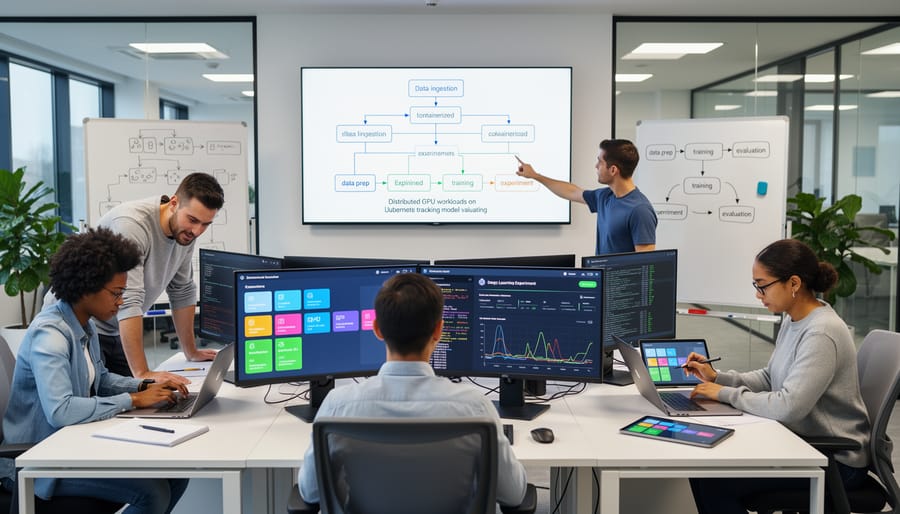
Training a deep learning model on a single GPU can take hours or even days. Kubernetes speeds this up by spreading the work across multiple GPUs or entire machines at once.
Here’s the basic idea: instead of one computer crunching through your entire dataset, Kubernetes divides the training job among several workers running in parallel. Each worker processes a portion of the data, calculates gradients, and shares those results with the others. The model learns faster because you’re essentially multiplying your computing power.
TensorFlow and PyTorch both have special Kubernetes operators that handle this complexity for you. The TensorFlow Training Operator, for example, automatically sets up the communication between workers, you just specify how many GPUs you want to use. Similarly, PyTorch’s distributed training libraries integrate with Kubernetes to coordinate training across pods.
In practice, this means you can turn a three-day training run into a three-hour one by adding more hardware. Kubernetes manages the messy coordination work: launching containers on different machines, ensuring they can talk to each other, and restarting any that fail mid-training.
You don’t need to be a systems expert to use these features. The operators provide straightforward configuration files where you define your model code and desired resources, Kubernetes figures out the rest.
Model Serving and Inference at Scale
Once you’ve trained a model, it needs to accept prediction requests from real users or applications. Kubernetes turns your trained model into a web service that can handle traffic at any scale.
Here’s how it works: You package your model and its serving code (using tools like TensorFlow Serving, TorchServe, or ONNX Runtime) into a container. Kubernetes deploys multiple copies of this container across your cluster and puts a load balancer in front of them. When prediction requests arrive, they’re automatically distributed across all available copies.
The real power shows up during traffic spikes. If your model suddenly receives 10,000 requests per minute instead of the usual 100, Kubernetes notices the increased load and automatically spins up additional container copies to handle demand. When traffic drops back to normal levels, it scales down again, saving resources and costs.
This setup means your model stays responsive whether you’re serving ten users or ten thousand. You don’t manually provision servers or worry about crashes taking everything offline, Kubernetes restarts failed containers automatically and keeps your predictions flowing.
Managing Experiments and Hyperparameter Tuning
Finding the right settings for a deep learning model often means running dozens, or even hundreds, of experiments with different configurations. Kubernetes turns what would be a weeks-long serial process into something you can complete in hours by running all those experiments simultaneously.
Think of it like testing multiple recipes at once instead of baking one cake, tasting it, adjusting, and starting over. With Kubernetes, you can launch 50 training jobs at the same time, each testing different learning rates, batch sizes, or network architectures. The cluster distributes these jobs across available GPUs automatically, managing the queue and cleaning up resources when each experiment finishes.
Tools like Katib (part of Kubeflow) make this practical for data scientists. You define the parameter ranges you want to explore, say, learning rates from 0.001 to 0.1, and Katib spawns separate pods for each combination. It tracks which settings produce the best validation accuracy and can even use smart search strategies to focus on promising areas rather than testing every possibility blindly.
This parallel approach dramatically shortens the feedback loop. Instead of waiting days to discover that your learning rate was too high, you know within hours which combination works best for your specific dataset.
Popular Tools That Make Kubernetes Easier for Deep Learning
If you’ve heard horror stories about Kubernetes complexity, here’s good news: you don’t have to wrestle with raw YAML files and command-line gymnastics. A whole ecosystem of tools now sits on top of Kubernetes, specifically designed to make deep learning workflows simpler and more approachable.
Think of these tools as friendly interfaces between you and Kubernetes’ powerful engine. They handle the tedious orchestration details so you can focus on training models and analyzing results rather than debugging cluster configurations.
Kubeflow: The Deep Learning Platform Built for Kubernetes
Kubeflow stands out as the most comprehensive option, a complete machine learning toolkit designed from the ground up for Kubernetes. It packages everything you need: Jupyter notebooks for experimentation, distributed training operators for TensorFlow and PyTorch, hyperparameter tuning with Katib, and model serving components. Instead of piecing together separate tools, Kubeflow gives you an integrated environment where different team members can collaborate on the same infrastructure.
The platform shines when you’re running multiple experiments simultaneously or coordinating between data scientists, ML engineers, and DevOps teams. It’s definitely more to learn than a simple script, but far less overwhelming than configuring Kubernetes components individually.
Other Tools Worth Knowing
Several specialized tools tackle specific pieces of the deep learning puzzle:
- Seldon CoreFocuses on deploying trained models as production APIs with advanced features like A/B testing and canary deployments
- KServeSimplifies model serving across multiple frameworks (TensorFlow, PyTorch, scikit-learn) with standardized interfaces
- Ray on KubernetesExcellent for distributed computing tasks beyond just model training, including reinforcement learning and data processing
- MLflow on KubernetesBrings experiment tracking and model registry capabilities to your Kubernetes cluster, integrating smoothly with existing workflows
- Managed Kubernetes services (Google GKE, AWS EKS, Azure AKS), Cloud providers handle cluster maintenance, upgrades, and monitoring while you focus on workloads
When Managed Services Make Sense
Many teams start with managed Kubernetes offerings from cloud providers rather than building clusters from scratch. These services handle the cluster administration headaches, security patches, version upgrades, backup strategies, for you. They’re more expensive than running your own Raspberry Pi Kubernetes setup at home for learning, but they eliminate countless troubleshooting hours in production environments.
Some managed platforms even bundle ML-specific features. Google’s Vertex AI and AWS SageMaker both use Kubernetes under the hood while providing higher-level abstractions. You get Kubernetes’ scalability benefits without directly managing it, similar to how remote device management tools let you control infrastructure without physical access.
The right tool depends on your team’s size, technical comfort level, and specific needs. Small projects might need only a managed notebook service, while large organizations often invest in comprehensive platforms like Kubeflow.
Getting Started: What You Need to Know
You don’t need to become a Kubernetes expert overnight. Start with the basics: comfortable command-line skills, some Docker knowledge, and programming experience (Python is ideal since most deep learning frameworks use it). If you’re rusty on any of these, brush up on learn Python fundamentals or explore gamified CS fundamentals to build confidence.
Your learning path should follow this sequence: First, understand containers by working with Docker for a few days, create images, run containers, understand volumes. Next, install Minikube or use a free cloud trial to spin up a single-node Kubernetes cluster locally. Deploy a simple web app to grasp pods, deployments, and services without the pressure of production concerns.
Once you’re comfortable with basic deployments, experiment with a straightforward deep learning task. Try running a pre-trained model in a container, then deploy it on your local cluster. This hands-on experience connects abstract Kubernetes concepts to actual AI workloads.
For hardware, you can start on your existing machine, even a modest ML laptop buying guide setup works for learning. Minikube runs fine with 4GB RAM allocated. Save the GPU clusters and cloud spending for when you’re ready to scale real projects.
Focus on one concept at a time. Learn pods before services, services before ingress, basics before custom resource definitions. The Kubernetes documentation includes tutorials that walk through each piece methodically. Supplement with YouTube walkthroughs when text gets dense.
Don’t rush toward production complexity. Many beginners assume they need to master everything, service meshes, operators, Helm charts, immediately. You don’t. Get comfortable deploying, updating, and debugging simple applications first. The advanced features make sense only after you’ve struggled with the problems they solve.
Common Questions About Kubernetes and Deep Learning
The prospect of learning Kubernetes can feel intimidating, especially when you’re focused on building models rather than managing infrastructure. Many deep learning practitioners wonder whether the complexity is worth it, and when simpler alternatives might serve them better. Here are the questions that come up most often.
Is Kubernetes too complicated for small projects?
Honestly, yes, if you’re working on a single machine with one or two models, Kubernetes adds unnecessary overhead. Start with Docker or even just Python virtual environments, and consider Kubernetes only when you’re managing multiple experiments, serving models to real users, or coordinating work across a team.
Do I need to know programming to use Kubernetes?
You should be comfortable with command-line tools and basic YAML configuration files. Most interactions happen through terminal commands and text-based config files, though many modern tools provide web interfaces that simplify common tasks.
Can I run Kubernetes on my own computer?
Yes, lightweight versions like Minikube and kind let you run a single-node Kubernetes cluster on your laptop for learning and testing. They’re perfect for understanding the concepts without paying for cloud resources.
What’s the difference between Docker and Kubernetes?
Docker packages your application and its dependencies into a container, while Kubernetes manages and orchestrates many containers across multiple machines. Think of Docker as the box and Kubernetes as the warehouse system that decides where boxes go and keeps them organized.
The cost question deserves special attention because it catches many teams off guard. Running Kubernetes itself is free and open-source, but you’ll pay for the compute resources underneath, the virtual machines, storage, and network traffic. Cloud providers charge for these resources whether you’re using Kubernetes or not, though managed Kubernetes services add a small control-plane fee. For deep learning, the real expense comes from GPU instances, which can run hundreds of dollars per day. Kubernetes helps you use those expensive resources efficiently by packing multiple jobs onto the same hardware and shutting down idle machines, which often saves more money than it costs.
When deciding whether to adopt Kubernetes, consider your current pain points rather than future possibilities. If you’re manually SSH-ing into machines to start training jobs, struggling to share GPUs across your team, or rebuilding your serving infrastructure every time you deploy a new model, Kubernetes solves real problems you’re already facing. If your workflow runs smoothly on a single machine or a simple batch system, you don’t need Kubernetes yet, and that’s perfectly fine. The tool should serve your needs, not the other way around.
Kubernetes has become the backbone of modern deep learning infrastructure for good reason. It solves real problems that emerge when AI projects grow beyond a single machine, managing GPUs efficiently, running multiple experiments simultaneously, and serving models to thousands of users without manual intervention. These capabilities transform how teams build and deploy machine learning systems at scale.
Yes, Kubernetes comes with a learning curve. The architecture feels complex at first, and the terminology takes time to absorb. But the ecosystem has matured significantly. Tools like Kubeflow and managed cloud services now handle much of the complexity, letting you focus on your models rather than infrastructure details.
Here’s the reality: if you’re training small models on your laptop or running occasional experiments, you probably don’t need Kubernetes yet. It shines when you face specific challenges, coordinating distributed training, managing shared GPU resources across teams, or deploying models that need to scale up and down based on demand.
Start exploring when your projects demand it, not because everyone says you should. The infrastructure should serve your work, not the other way around. When the time comes, you’ll find a growing collection of resources and supportive communities ready to help you succeed.