
Secure authentication for competitive multiplayer game servers means requiring players to prove their identity through methods like two-factor authentication, unique login credentials, and session tokens before deciding which Minecraft server to try or play. This prevents cheaters from creating endless throwaway accounts, stops account theft that can wipe out hundreds of hours of progress, and ensures ranked matches actually reflect player skill rather than who’s running the most bots.
For Minecraft players, account safety also depends on using the official game account service, choosing communities with clear rules and moderation, and being cautious with third-party downloads or login requests. A server’s authentication choices can help administrators, but they do not guarantee safety or eliminate cheating.
You’ve probably experienced the frustration firsthand. Maybe you climbed the competitive ladder for weeks, only to face the same banned cheater under a new username the next day. Or perhaps you logged in to find your account stolen and your hard-earned items gone. These problems stem from weak authentication that treats player verification as an afterthought.
The good news? Setting up secure authentication isn’t complicated, whether you’re a player protecting your account or a server administrator implementing security measures. Modern authentication systems have become far more user-friendly than the clunky processes of years past.
Competitive gaming in 2026 demands stronger security because the stakes have grown. Thousands of players now compete for real prizes, streaming audiences, and professional opportunities. When authentication fails, it doesn’t just ruin individual matches. It undermines entire competitive ecosystems by making cheating trivial and discouraging legitimate players from investing time in games where their accounts and rankings aren’t truly protected.
This guide walks you through everything you need to know: what secure authentication actually involves, who needs it, how to set it up on both sides of the connection, your responsibilities once it’s active, and where to turn when something goes wrong.
What Is Secure Authentication for Game Servers?
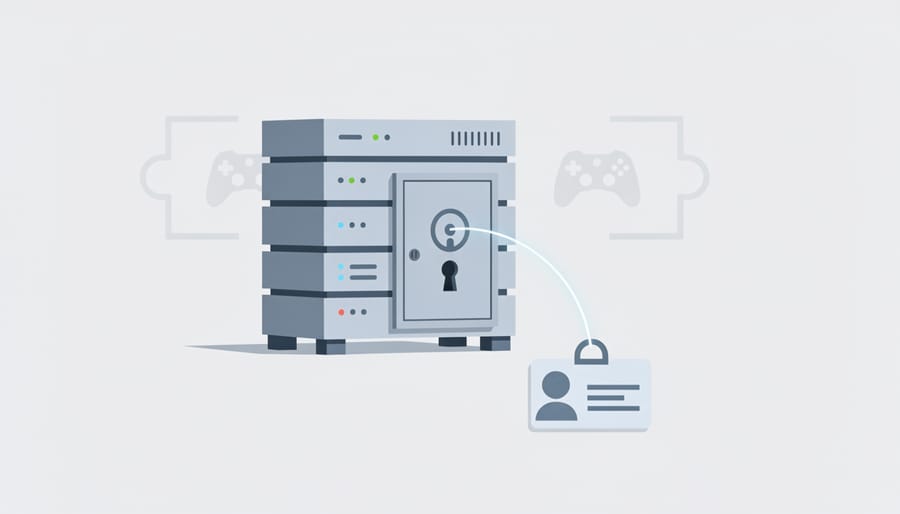
Secure authentication for game servers is the process of verifying your identity before you can join and play on a multiplayer server. Think of it like showing your ID and membership card before entering an exclusive club, the server needs to confirm you’re really you, not someone pretending to be you or using a fake account.
When you log into a game server, you’re essentially asking for permission to enter a shared digital space with other players. Basic authentication just checks that you’ve entered a correct username and password. That’s like having a bouncer who only checks if you know the password to get in, anyone who steals or guesses that password can waltz right through.
Secure authentication adds extra layers of verification to make sure it’s genuinely you accessing your account. The most common methods include two-factor authentication (2FA), where you enter a code from your phone after your password; authentication tokens, which are unique digital keys that prove your identity; and OAuth, a system that lets you log in through a trusted service like Steam or Discord without sharing your password with the game server itself.
Here’s a practical example. With basic authentication, someone who figures out your password can immediately access your account, join servers using your identity, and potentially get your account banned for cheating or bad behaviour. With secure authentication, even if they have your password, they’d still need physical access to your phone to get the second verification code, or they’d need to steal your authentication token, a much taller order.
The key difference is that secure authentication makes account hijacking exponentially harder by requiring multiple forms of proof that you are who you claim to be, protecting both your personal account and the integrity of the servers you play on.
Why Secure Authentication Matters for Competitive Gaming
Account Protection and Your Gaming Investment
Think about everything you’ve put into your gaming account: the 200 hours you spent climbing ranked ladders, the rare skins you bought during limited events, the battle pass rewards you earned through an entire season. Now imagine logging in tomorrow to find it all gone, your account hijacked, your items sold off, your rank tanked by someone who broke in overnight.
This isn’t a far-fetched scenario. Account theft happens regularly in competitive gaming, and the damage can be devastating. Without secure authentication, your account is protected only by a password, and passwords can be guessed, leaked in data breaches, or stolen through phishing. Once someone has your credentials, they have everything: your progress, your purchases, your reputation.
Secure authentication adds a critical second barrier. Even if someone steals your password, they can’t access your account without also having your phone or authenticator app. This simple extra step protects the real investment you’ve made, not just money, but time and achievement that can’t be replaced.
Your gaming account isn’t just an account. It’s your competitive identity and the result of your effort. Protect it accordingly.
Keeping Cheaters and Bad Actors Out
Robust authentication creates a significant barrier that stops banned players from simply spinning up fresh accounts and rejoining servers. When authentication ties accounts to verified phone numbers, payment methods, or third-party platforms like Steam, each new account requires genuine resources, not just a disposable email address. This friction dramatically reduces ban evasion because creating multiple authenticated accounts becomes expensive and time-consuming.
Server administrators gain powerful enforcement tools through proper authentication. Instead of banning a username that can be recreated in minutes, they can ban the underlying authenticated identity. If a cheater gets banned from a server using Steam authentication, for example, they’d need an entirely new Steam account to return. That means potentially losing their game library, friends list, and purchase history.
Authentication systems also create accountability by linking actions to persistent identities. When players know their behavior connects to accounts with real value, purchased games, achievement progress, social connections, they face meaningful consequences for cheating or toxic behavior. This doesn’t require collecting personal information; it simply means each account represents an investment that players won’t casually throw away. The result is cleaner competition and communities where rule-breaking carries genuine weight.
Who Needs Secure Authentication? (Eligibility and Use Cases)
Secure authentication isn’t just for security experts or professional gamers, it protects anyone who has invested time, money, or reputation in competitive gaming. Understanding whether you need robust authentication depends on what you’re protecting and how you participate in multiplayer gaming.
Competitive players who’ve sunk hundreds of hours into ranked matches need strong authentication to protect their hard-earned rankings, cosmetic items, and game progress. If you’ve spent real money on in-game purchases or built a reputation in your gaming community, your account becomes a valuable target for hackers. Basic username-and-password logins won’t cut it when someone’s trying to steal an account worth hundreds of dollars in skins or a top-tier competitive ranking.
Server administrators running ranked servers, tournament play, or competitive leagues face different challenges. You’re responsible for maintaining fair play across your entire community. When banned players can easily create new accounts and return, or when cheaters cycle through disposable accounts, basic authentication fails to protect your server’s integrity. Implementing secure authentication creates accountability, each player’s actions tie to a verified identity, making enforcement meaningful.
| User Type | Authentication Level | Why |
|---|---|---|
| Casual Player | Basic | Low-value account, minimal competitive involvement |
| Competitive Player | High | Protects rankings, purchases, and community reputation |
| Server Administrator | High | Maintains community integrity and enforces bans effectively |
| Game Developer | High | Prevents cheating at scale, protects game economy |
| Esports Organization | High | Secures team accounts, tournament access, and competitive data |
Game developers building multiplayer titles need secure authentication baked into their infrastructure from day one. Without it, you’re fighting an uphill battle against cheaters who can create unlimited throwaway accounts. Esports organizations managing team rosters and tournament access require authentication systems that verify players are exactly who they claim to be, no substitutions, no account sharing, no ambiguity during competition.
Basic authentication becomes insufficient the moment your account or community has something worth protecting or stealing, whether that’s competitive standing, virtual goods, or simply a cheat-free environment.
How to Set Up and Use Secure Authentication

For Players: Enabling Two-Factor Authentication
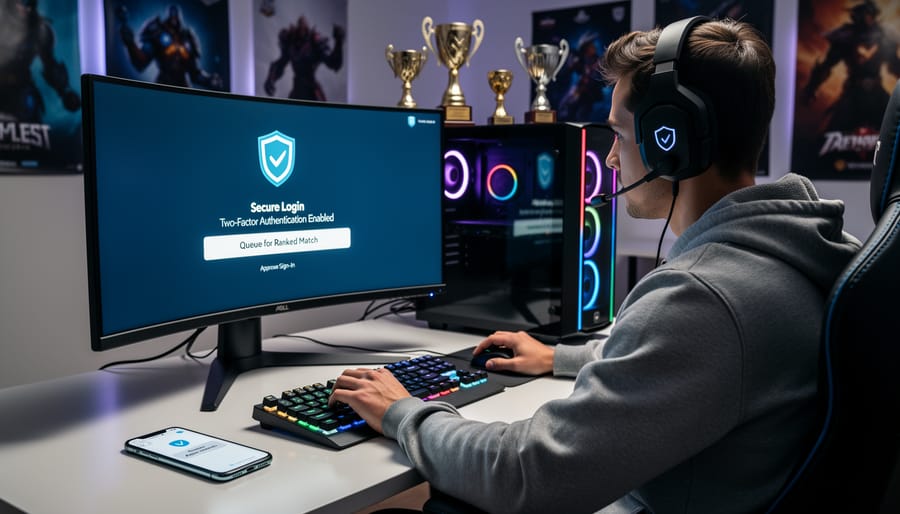
Enabling two-factor authentication on your gaming accounts takes about five minutes and adds a crucial security layer. Here’s how to set it up on the platforms you likely use.
On Steamopen the Steam app or website and go to your account details. Click “Manage Steam Guard Account Security” and select “Get Steam Guard codes from the Steam mobile app.” Download the Steam app on your phone, log in, and you’ll start receiving codes there. Steam also offers backup codes, write these down and store them somewhere safe, not on your phone.
For Epic Gameslog into your account on the Epic Games website. Navigate to Settings, then to the Password & Security tab. Under Two-Factor Authentication, click “Enable Authenticator App” and scan the QR code with your chosen authenticator. Epic will generate backup codes immediately after setup. Save these in a password manager or write them on paper kept in a secure location.
Console accounts work similarly. On PlayStation, go to Account Management > Security > 2-Step Verification in your console settings. Xbox users should visit, sign in, select Security, and choose “Two-step verification.” Nintendo Switch users can enable it through their Nintendo Account settings online.
For your authenticator app, Authy, Google Authenticator, and Microsoft Authenticator all work well with gaming platforms. Authy has the advantage of cloud backup, making phone upgrades easier. Whichever you choose, set it up before enabling 2FA on your gaming accounts.
Always save backup codes immediately after enabling 2FA. Store them separately from your phone, if you lose your device, these codes are your only way back into your account without lengthy support tickets.
For Server Administrators: Implementing Authentication Systems
Server administrators have three main authentication paths: third-party platform integration, OAuth services, or custom solutions. Your choice depends on your game, player base size, and technical resources.
Steam API authentication works well for PC games where most players already have Steam accounts. The integration is straightforward, you request a Steam Web API key, add it to your server configuration, and validate player tickets against Steam’s servers. This approach leverages Steam’s existing security infrastructure and prevents players from joining without valid Steam accounts, making ban evasion much harder.
Discord OAuth suits community-focused servers where players already gather on Discord. The setup involves creating a Discord application, configuring redirect URLs, and implementing the OAuth flow. Players authenticate through Discord, your server receives their user ID, and you can verify Discord server membership before granting game access. This tight integration between your Discord community and game server helps maintain consistent player identities.
For smaller communities or games without Steam distribution, custom authentication systems using established libraries offer flexibility. Look for well-maintained authentication frameworks in your server’s programming language rather than building from scratch. These typically handle password hashing, token generation, and session management securely.
When choosing a system, consider three factors. First, where do your players already have accounts? Using existing credentials reduces friction. Second, can you manage network connections reliably between your server and the authentication provider? Unstable connections will lock legitimate players out. Third, does your hosting environment support secure server deployment practices for storing API keys and secrets?
For larger operations, automation tools can automate authentication configs across multiple server instances, ensuring consistent security settings without manual configuration errors.
Your Rights and Responsibilities with Authentication
When you enable secure authentication for gaming, you’re entitled to clear information about how your data is handled. Gaming platforms and server operators must protect your login credentials, email addresses, and authentication records from unauthorized access. Most legitimate services use industry-standard encryption and won’t sell your authentication data to third parties. You have the right to know what information is collected during login, how long it’s stored, and who can access it.
Account recovery is a critical right you should verify before committing to a server. Reputable services offer multiple recovery methods: backup codes you download during initial setup, verified email recovery, or support ticket processes for regaining access. Never trust a server that offers no recovery path if you lose your authenticator device.
Your responsibilities are equally important. You must keep your passwords and backup codes secure, write them down offline or use a trusted password manager. Don’t reuse gaming passwords across multiple sites, and never share your account credentials with friends or boosting services. When a server requires authentication, you’re obligated to complete it honestly; attempting to bypass security or creating duplicate accounts to evade bans violates most terms of service.
Server administrators who implement authentication systems need to keep authentication updated and clearly communicate their data policies. If you’re running custom server authentication, ensure players understand what data you collect and provide reasonable account recovery options. For advanced server setups requiring SSH access setup or backend configuration, document your processes so players know you’re handling their credentials responsibly.
Common Authentication Problems and How to Solve Them
Even with the best setup, you’ll occasionally run into authentication hiccups. The good news? Most problems have straightforward fixes that get you back in the game quickly.
Lost Authenticator Access
Losing your phone or uninstalling your authenticator app is surprisingly common. When this happens, look for backup codes you saved during 2FA setup, these one-time codes bypass your authenticator. Most gaming platforms give you 5-10 backup codes when you enable 2FA. Store them in a password manager or write them down somewhere safe (not on your phone). If you’ve lost both your authenticator and backup codes, you’ll need to contact platform support with proof of account ownership, which can take several days.
Authentication Timeouts and Connection Errors
When authentication fails despite correct credentials, check your system clock first. Authentication tokens are time-sensitive, and even a few minutes’ difference can cause failures. Your computer or console clock should sync automatically with internet time servers. If you’re using a VPN, try disconnecting, some authentication systems flag VPN connections as suspicious. Server-side issues also happen, especially during peak hours or after game updates. Wait five minutes and try again before assuming the problem is on your end.
Account Lockouts After Multiple Failed Attempts
Three to five failed login attempts usually trigger a temporary lockout lasting 15-30 minutes. This security feature prevents brute-force attacks but can frustrate legitimate players. If you’re locked out, don’t keep trying, you’ll just extend the lockout period. Instead, reset your password through the official platform recovery process or wait out the timer.
What if I lose my phone with my authenticator?
Use the backup codes you saved during 2FA setup, or contact platform support with proof of account ownership. Recovery typically takes 24-72 hours through official channels.
Why does authentication keep failing even with correct credentials?
Check that your system clock is accurate, authentication tokens are time-sensitive. Also try disabling your VPN, as some systems flag VPN connections as suspicious.
Can I use the same 2FA app for multiple games?
Yes, authenticator apps like Google Authenticator or Authy can manage codes for unlimited accounts across different gaming platforms simultaneously.
Is SMS authentication secure enough for competitive gaming?
SMS is better than nothing but vulnerable to SIM-swapping attacks. Authenticator apps provide stronger security for valuable gaming accounts.
For persistent problems that don’t fit these patterns, document exactly what happens (error messages, timing, steps taken) before contacting support. Screenshots of error codes help support teams diagnose issues faster than vague descriptions like “it won’t work.”
Where to Get Help and Additional Resources
When authentication issues arise or you need guidance on securing your gaming accounts, knowing where to turn for reliable help makes all the difference. The resources below connect you with official support channels, trusted documentation, and active communities ready to assist.
Start with your gaming platform’s official support channels. Steam Support handles authentication problems, account recovery, and Steam Guard questions through their help portal at . Epic Games offers detailed 2FA setup guides and troubleshooting at, while console manufacturers maintain dedicated security sections, PlayStation Support, Xbox Support, and Nintendo Account Help all provide step-by-step authentication guidance specific to their ecosystems.
For authenticator app issues, go directly to the source:
– Steam Support () for Steam Guard and account access problems
– Platform-specific 2FA setup guides available in each service’s account security settings
– Google Authenticator Help Center for Google’s authenticator app troubleshooting
– Microsoft Authenticator support through Microsoft’s official documentation
– Authy Support () for multi-device authentication questions
Game-specific communities often provide the fastest, most relevant help for server authentication issues. Search for your game’s official Discord server or subreddit, where experienced players and moderators address common connection and authentication problems daily. Many competitive games maintain detailed documentation on their websites explaining authentication requirements for ranked play.
The National Cyber Security Centre and Stay Safe Online offer broader guidance on password security, two-factor authentication best practices, and protecting gaming accounts from common threats. These resources help you understand authentication fundamentals beyond any single game or platform.
How to Apply or Complete the Process
Setting up secure authentication requires completing specific steps in sequence. Start by identifying which authentication method your game server supports. Check the server documentation or contact administrators to confirm whether they use Steam, Discord OAuth, Epic Games authentication, or another system.
Next, create or verify your account on the required platform. Navigate to your account security settings and enable two-factor authentication. Download an authenticator app like Google Authenticator or Authy if you haven’t already. Scan the QR code provided during setup and save your backup codes in a secure location outside your gaming device.
For server administrators implementing authentication, register your server with the chosen platform’s developer portal. Obtain your API credentials and configure your server software to use these keys. Test the authentication flow with a test account before making it mandatory for all players.
Finally, communicate authentication requirements to your player base. Provide clear instructions and a reasonable implementation timeline. Most servers allow a grace period where authentication is optional before becoming mandatory, giving players time to complete setup without losing access.
Secure authentication isn’t just a technical checkbox, it’s the foundation of fair, competitive gaming in 2026. Every account you protect, every server you secure, and every authentication step you complete helps preserve the integrity that makes competitive multiplayer worth playing. The few minutes you invest in setting up two-factor authentication today can save you from losing months of progress, valuable items, or hard-earned rankings tomorrow.
The competitive gaming landscape has evolved beyond simple usernames and passwords. Cheaters are more sophisticated, account theft is more profitable, and the stakes in ranked play are higher than ever. By embracing secure authentication practices, whether you’re a casual player protecting your account or a server administrator safeguarding your community, you’re contributing to an environment where skill matters more than exploits.
Don’t wait for an account compromise to take security seriously. Enable authentication on your gaming accounts today, encourage your teammates to do the same, and support servers that prioritize security. Your future self, and the entire competitive gaming community, will thank you.